The tool moment
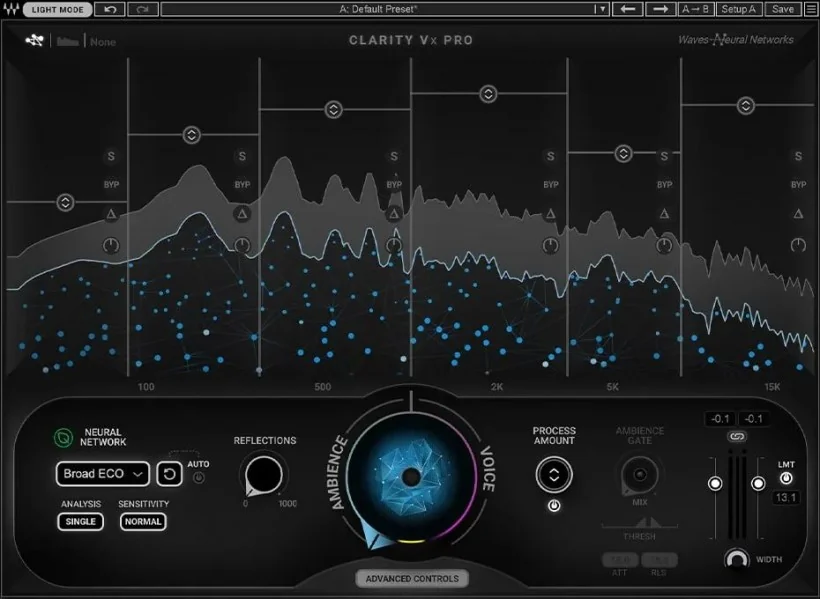
Waves released Clarity Vx in March 2022, a plug-in the company's own product page describes as "AI-powered noise removal for vocals and voice," built to clean a voice track "for any mix, production, podcast or video." Unlike the multi-stem separators elsewhere in this batch, Clarity Vx does not split a mix into named instrument categories; Waves' own campaign page positions it primarily against dialogue and podcast cleanup, with music-vocal use as a compatible secondary application rather than the plugin's stated design target.
What the documents show
The plugin's own user guide states Clarity Vx "removes background noise (ambience) from vocal tracks and dialog" using "Waves Neural Networks that have been trained using millions of hours of examples to learn the differences between voices and noise," controlled mainly by a single knob and a choice of trained network models. That is Waves' own account of its training data's scale, not an independently audited figure, and the guide is explicit that the plugin operates on a single voice signal against its background, not on a full musical mix with drums, bass and other instruments to separate.
What stays with the musician
Because Clarity Vx cleans one signal rather than splitting a mix, an engineer using it on a vocal still has to judge how much ambience removal is appropriate before the voice starts to sound processed; the user guide itself warns that certain events, like an abrupt change in the noise profile or a sudden loud sound, "can cause the network to lose focus or compromise quality," and offers a manual reset rather than an automatic fix. That judgment about where clean tips into artificial remains the engineer's, track by track.
Judge it by listening
Waves' documentation describes the controls, a main knob, network selection, an analysis mode for stereo material, without publishing a listening-test comparison against untreated audio or another vendor's tool. This is an editorial suggestion: run the same vocal at the plugin's maximum removal setting and at a moderate setting, listening specifically for the "edges" of the voice the user guide says get removed first, then compare the trained network options the guide describes as biased toward either close-mic voice or secondary speech.
- At what removal setting does the vocal start to lose natural texture rather than just noise?
- Does switching between the plugin's trained network options change the result on your specific recording?
- Would a full multi-stem separator, rather than a single-voice cleaner, actually suit what you are trying to fix?
Clarity Vx is a narrower tool than a stem separator, and Waves' own documentation keeps that boundary clear even while its neural-network language echoes the marketing of full separation tools elsewhere in this field; the engineer still decides where noise reduction ends and vocal character begins.
Sources & reading trail
Waves' own product page describes Clarity Vx as AI-powered noise removal for vocals and voice, powered by Waves Neural Networks, for cleaning vocals for a mix, production, podcast or video.
Source published: Not established · Retrieved: 16 September 2026
Waves' own user guide states Clarity Vx removes background ambience from vocal tracks and dialog using neural networks trained on millions of hours of examples, with real-time or offline operation.
Source published: Not established · Retrieved: 16 September 2026
Waves' own campaign page for Clarity Vx and Clarity Vx Pro, published March 2022, describes both as isolating dialogue from ambience in real time within a DAW.
Source published: 14 March 2022 · Retrieved: 16 September 2026
Documentation, papers and the makers' own records establish the note; the judgment about what stays with the musician is Mix & Meaning editorial analysis. This retrospective draft does not imply the site published on the event date.