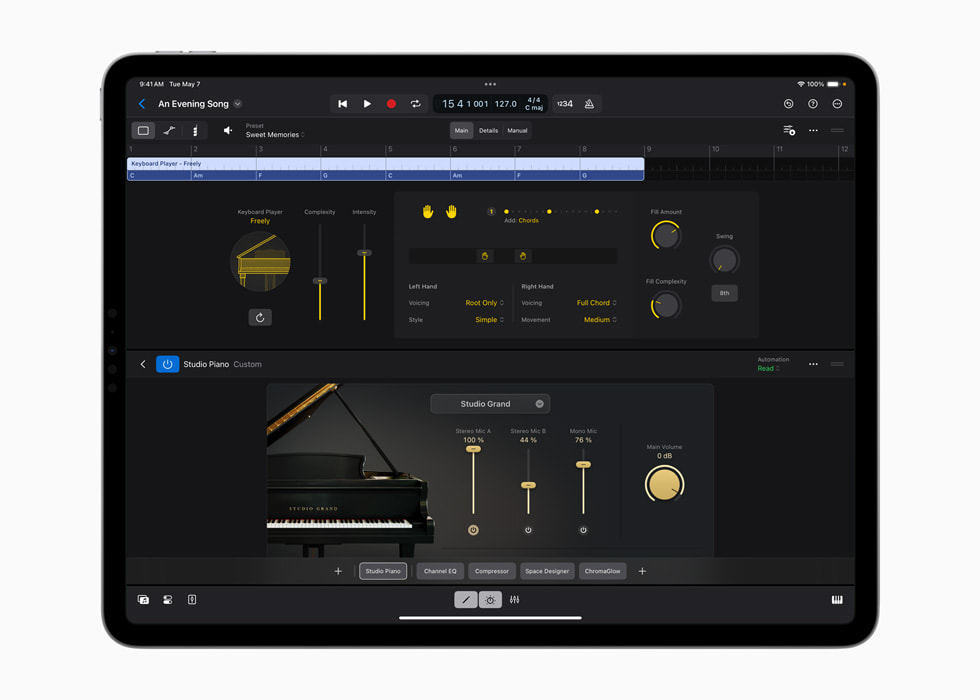
Apple’s Keyboard Player announcement image shows Studio Piano within a Logic project.
Apple · Source ↗Published with the May 2024 announcement; it does not document the current feature set.Hear the proposal as a performance
An assistive player can quickly occupy the correct harmonic and rhythmic neighborhood. That is a starting point. Ask where it breathes, which note it leans on, how it prepares a change and whether its busiest moment competes with the song’s focal point.
Change behavior before sound
Producers often reach for a new instrument patch when the real issue is density or phrasing. Shorten the part, remove a pickup, shift the register, simplify one turnaround and vary repeated sections. Then choose tone in response to the edited performance.
Print an editable version
When the DAW permits it, commit MIDI or audio to a named track and preserve the original proposal muted. Record the feature and date. Printing creates a stable object that can be revised even if a model or preset changes later.
Use the mute test
Mute the player through each section. If the song loses nothing, the part may be decoration. If everything collapses, the part may be doing structural work that should be shared with harmony, rhythm or performance. The test reveals role, not quality.
Make one unmistakably human pass
Perform automation, replace a fill, rewrite a cadence or record a layer whose timing responds to the lead. The goal is not to disguise assistance. It is to make the finished arrangement answer to the piece rather than to a default behavior.
Proposal kept / proposal changed / reason / printed track / performer or editor.
Sources & reading trail
- Apple Logic Pro May 2024 announcement — primary documentation or research used for the bounded claims above.
Reviewed for this local compilation on 15 September 2026. Product terms and platform policies can change; recheck them for a release. This article is editorial guidance, not legal advice or a claim of independent product testing.