Studio reference / 13 source visuals
Look inside
the work.
Real interfaces, the figures behind the research, and the rooms these tools belong in. Open any image at full size to inspect the detail.
Historical images carry their source year. Undated product images are identified separately. Each figure links to its original publisher.
Choose how the audio follows time
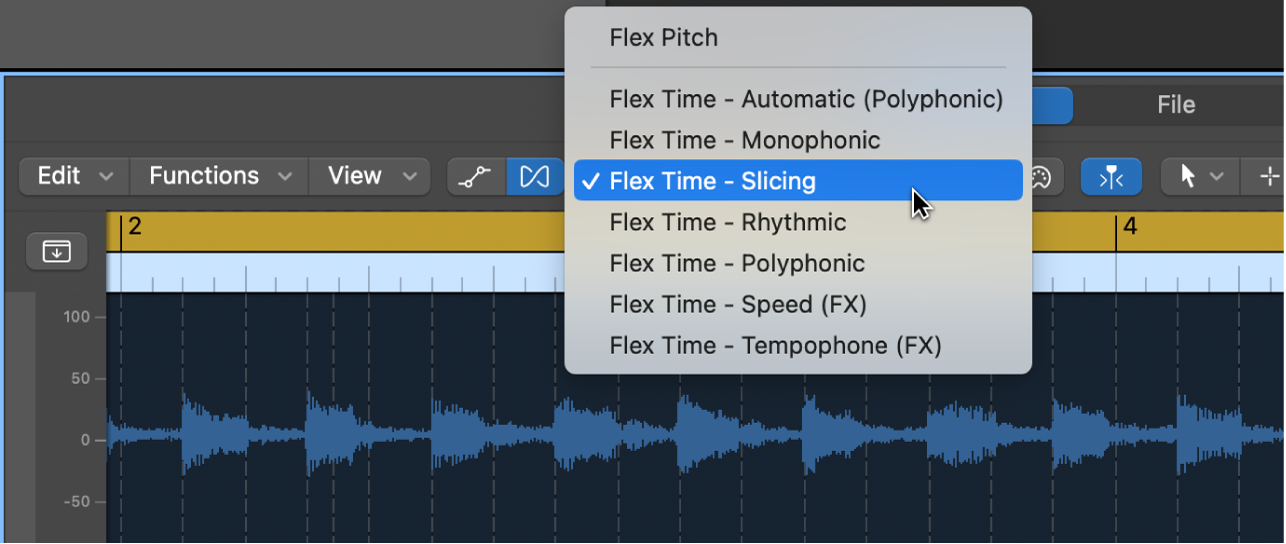
Apple’s Flex Mode menu makes the source-dependent algorithm choice visible. Tempo mapping and changing the timing inside audio remain different operations.
Apple · Source ↗Documentation screenshot, not an in-house processing test. Retrieved 19 September 2026.A meter is a listening prompt

The correlation display from Apple’s Logic Pro manual. Read the value alongside a mono listening check; it is not a musical-quality score.
Apple · Source ↗Undated manual illustration, retrieved 19 September 2026. Displayed at its supplied resolution.Inside Stem Splitter
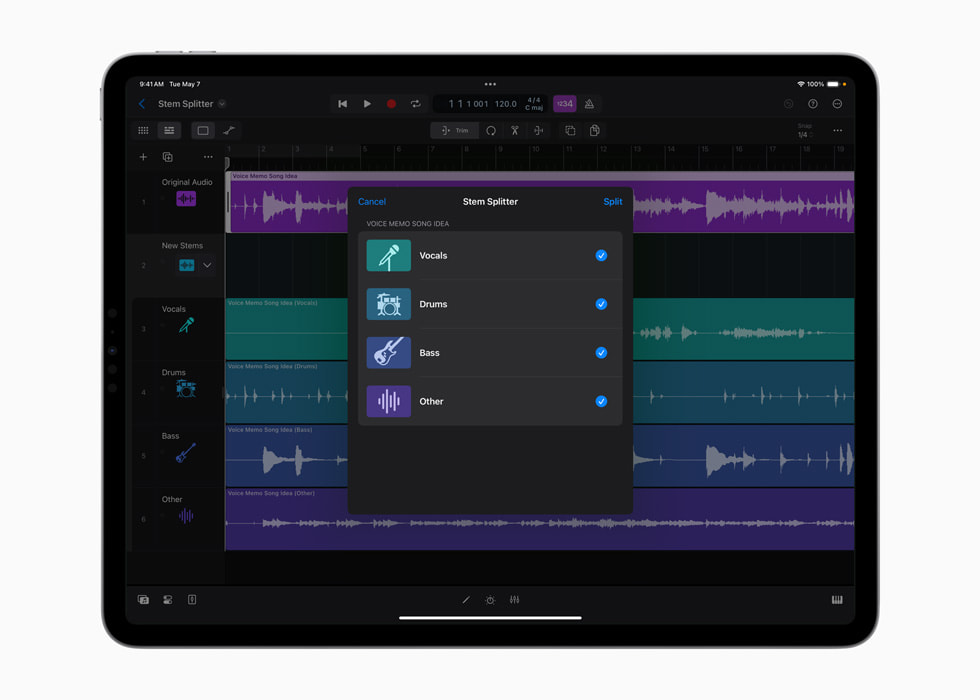
Apple’s May 2024 Stem Splitter interface shows the extraction choices beside the audio session.
Apple · Source ↗Historical interface; later versions can differ.Keys inside the project
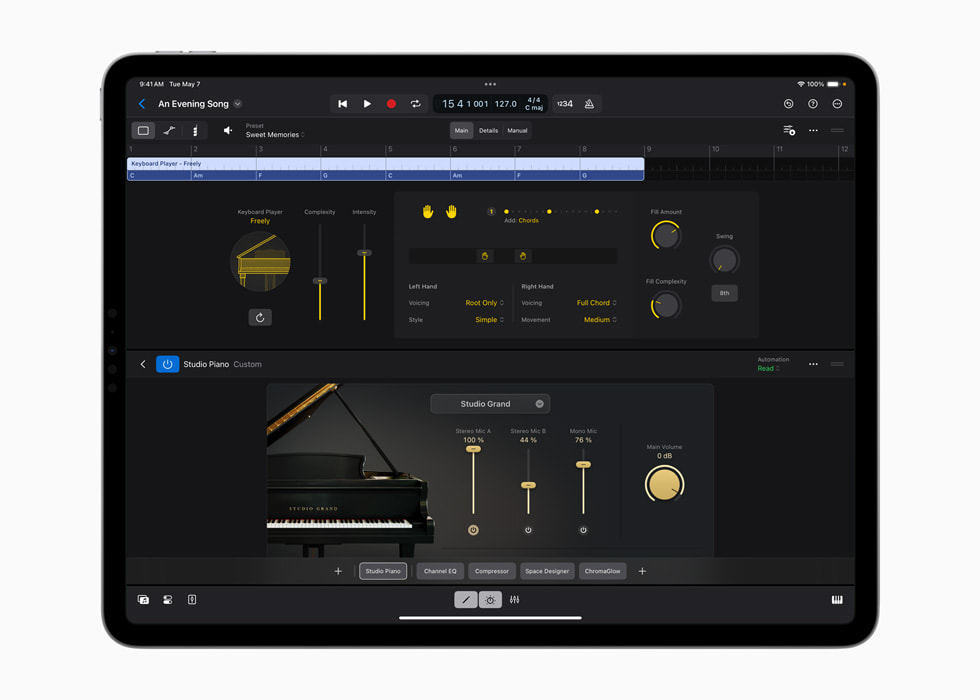
Apple’s Keyboard Player announcement image shows Studio Piano within a Logic project.
Apple · Source ↗Published with the May 2024 announcement; it does not document the current feature set.Five ways to change a phrase
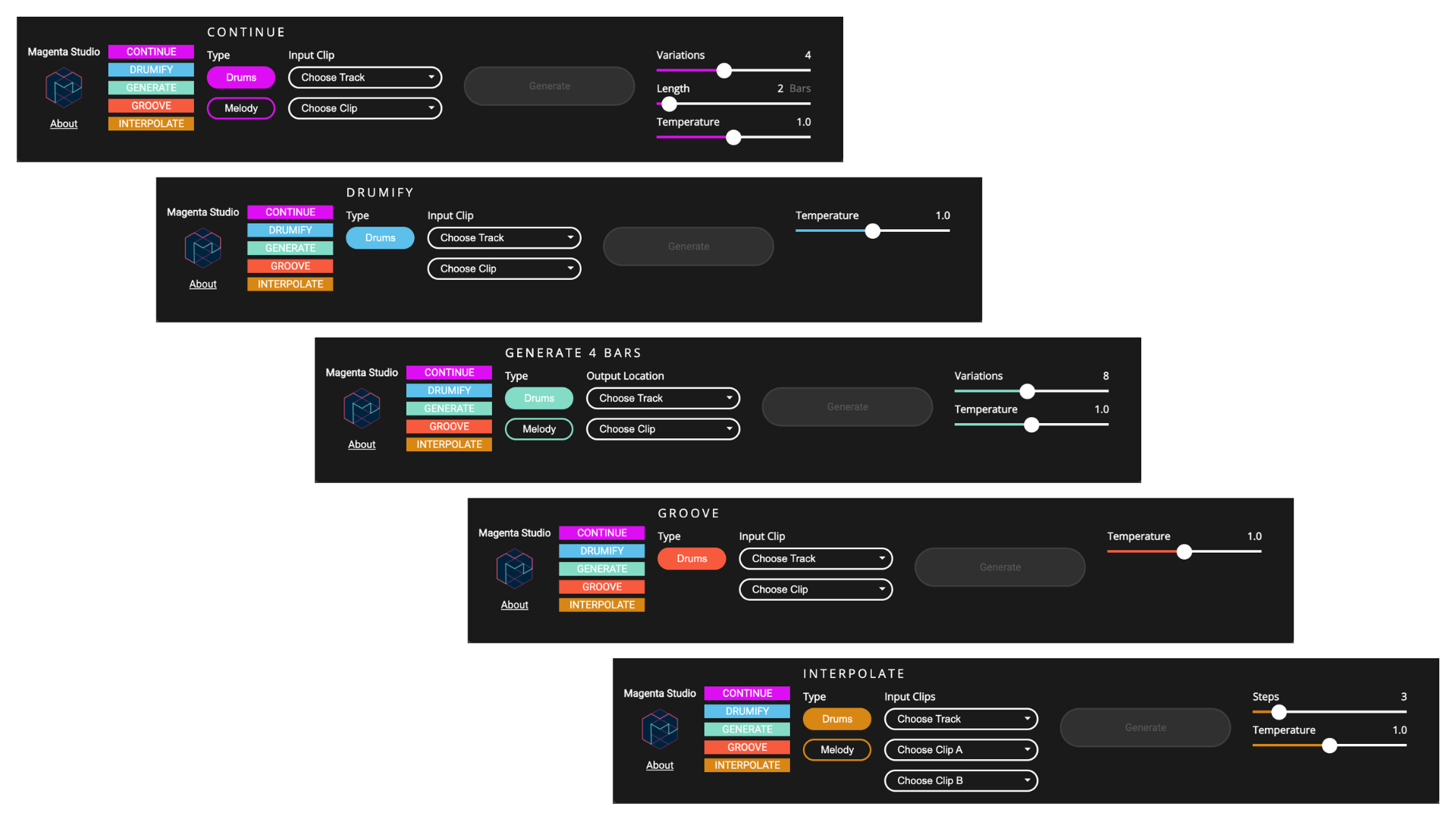
Magenta Studio’s own interface overview makes five different musical operations visible.
Magenta / Google · Source ↗The page’s current illustration was retrieved in September 2026; no historical screenshot date is claimed.A bass part with a role
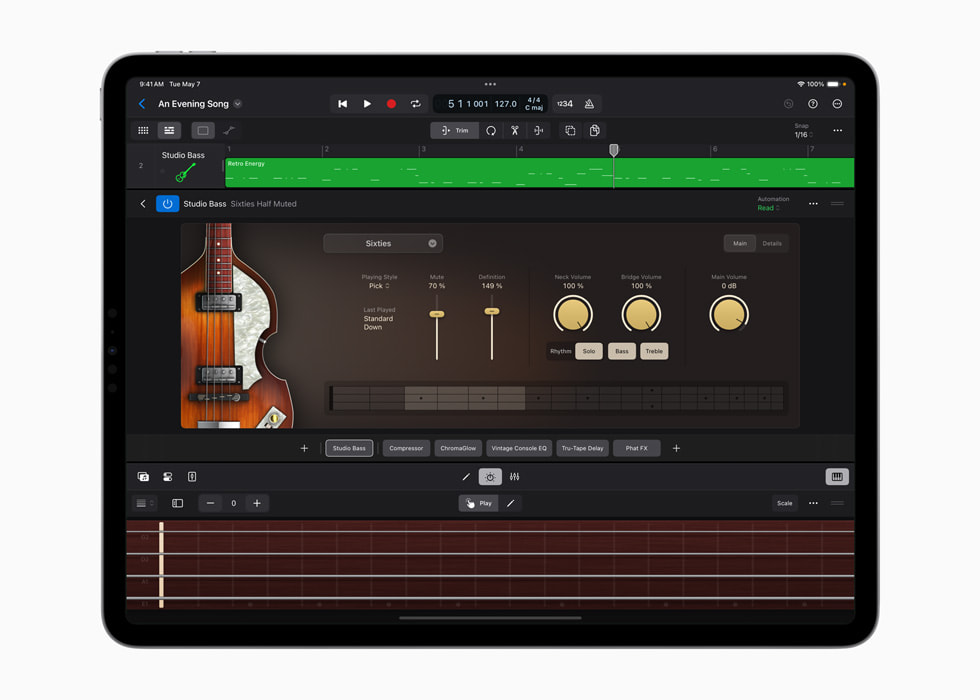
Studio Bass in Apple’s Session Players announcement. The instrument is visible; the arrangement decision still has to be heard.
Apple · Source ↗Historical product image, not a measured result.Colour, then context
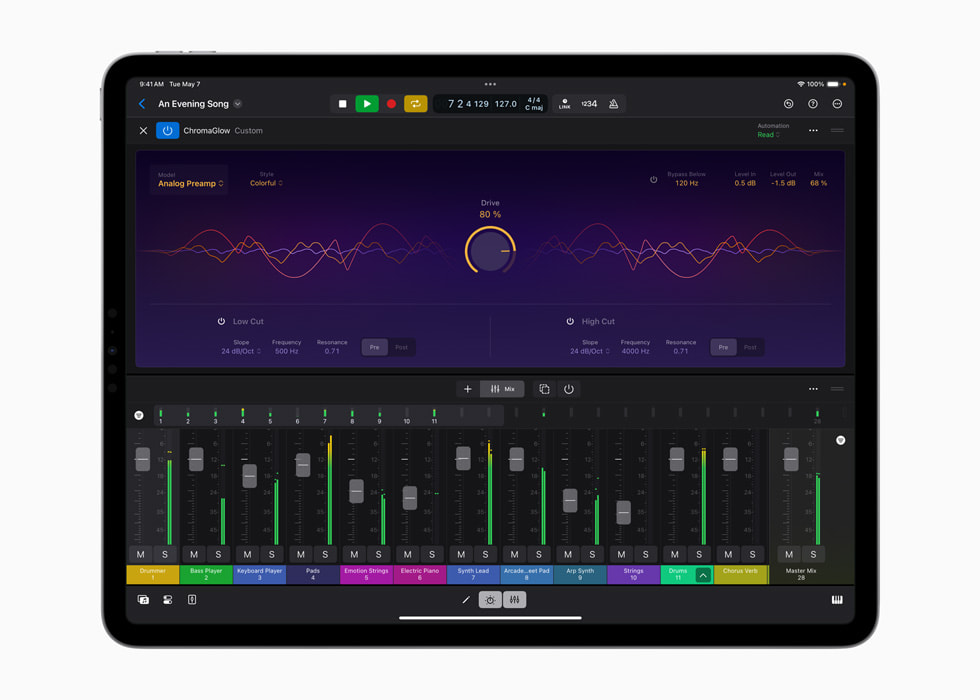
ChromaGlow in Apple’s 2024 announcement. A processing interface gives a setting somewhere to live; comparison gives it a reason to stay.
Apple · Source ↗Illustrates processing controls, not automated mastering or a listening-test result.Original, then master
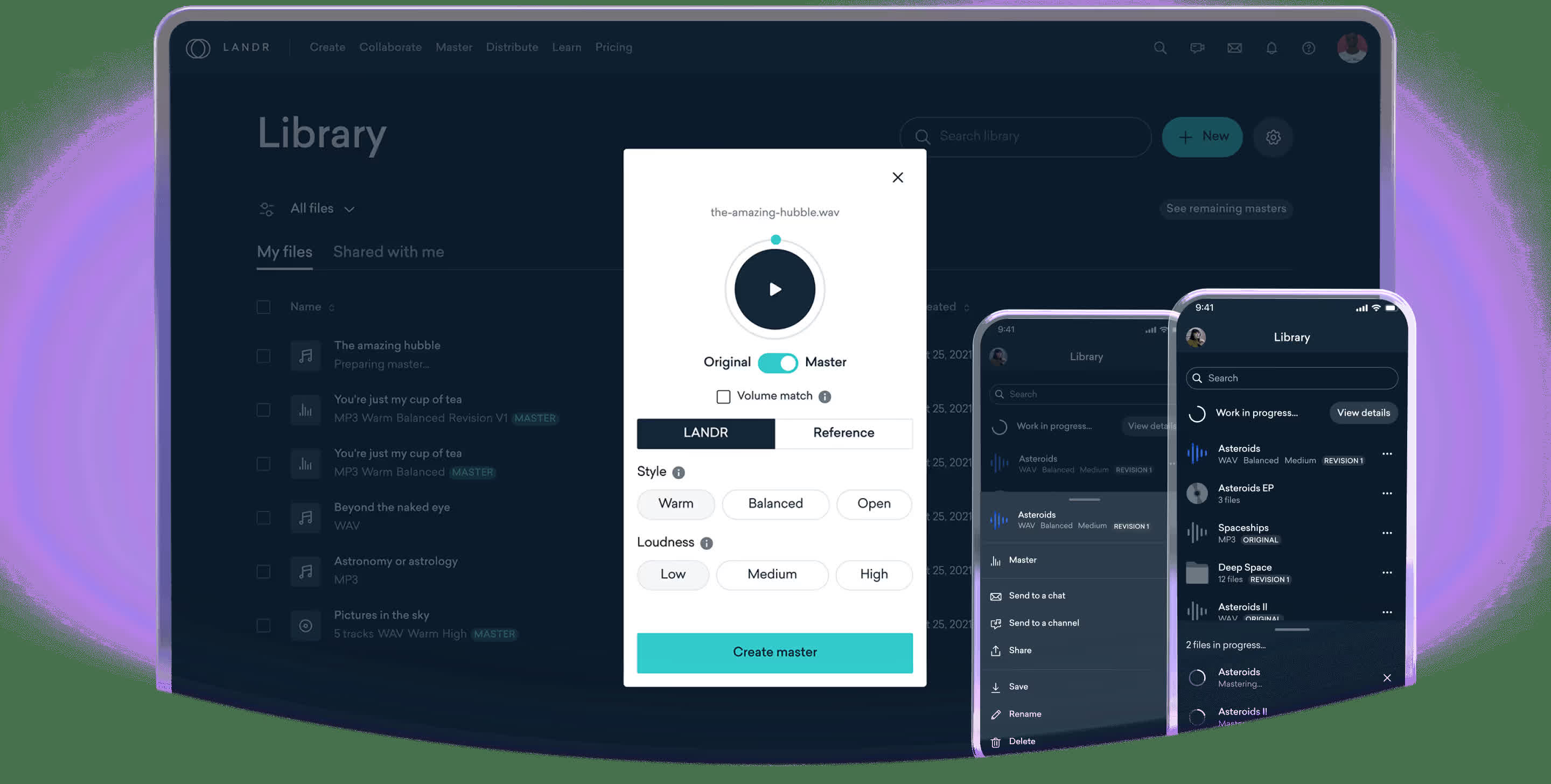
LANDR’s official product visual shows the original/master comparison at the end of the production chain.
LANDR · Source ↗Existing local JPEG converted from the official AVIF, reused unchanged. This is a product visual, not our test session.What a reconstruction keeps
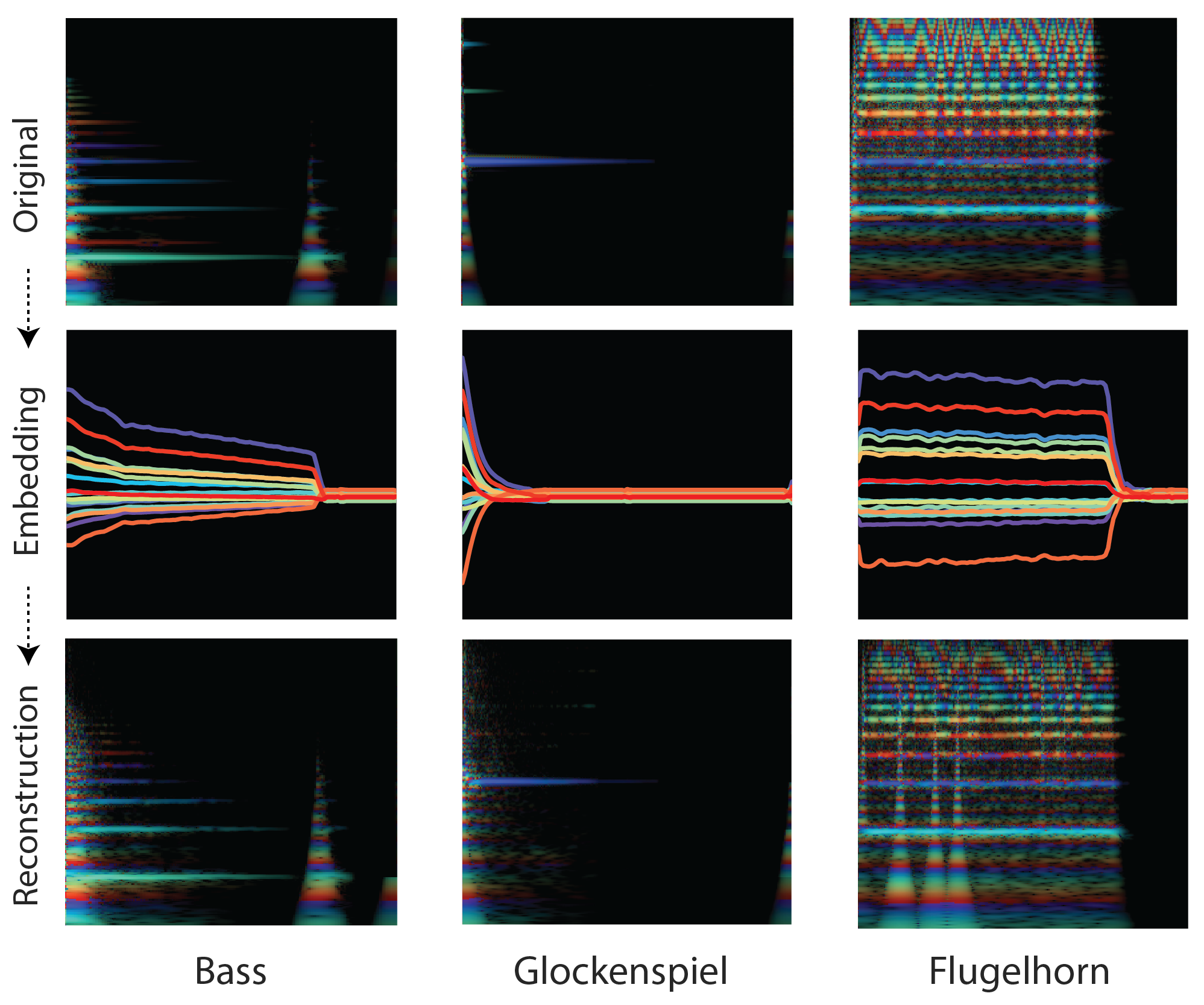
The original NSynth figure compares three instrument sounds with their embeddings and reconstructions.
Magenta / Google · Source ↗Research figure from 2017, not a commercial interface or a Mix & Meaning benchmark.From phrase to phrase
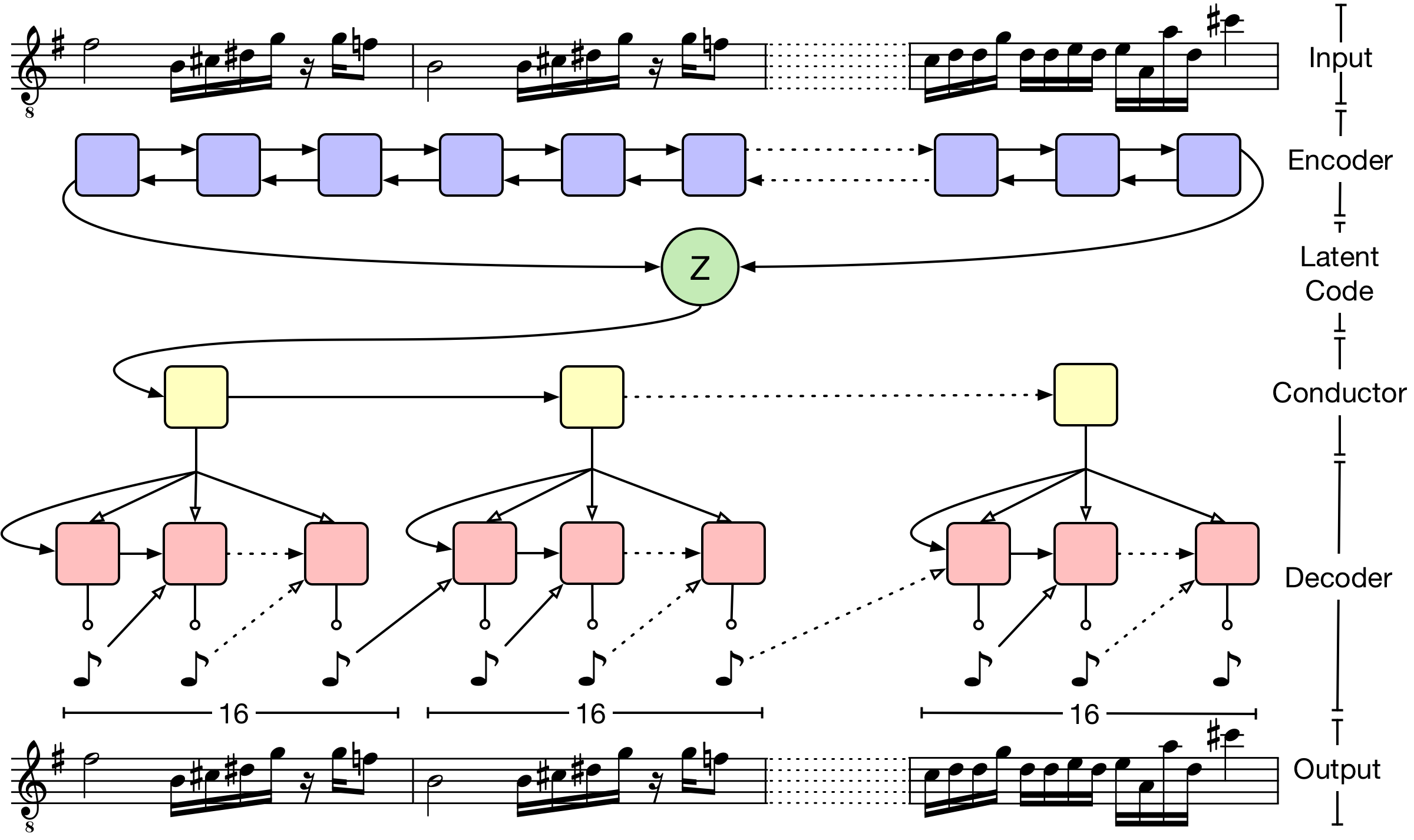
MusicVAE’s original architecture figure connects a longer musical sequence to a hierarchy of shorter phrases.
Magenta / Google · Source ↗Original 2018 research diagram, not a fabricated product screen.Back in the room
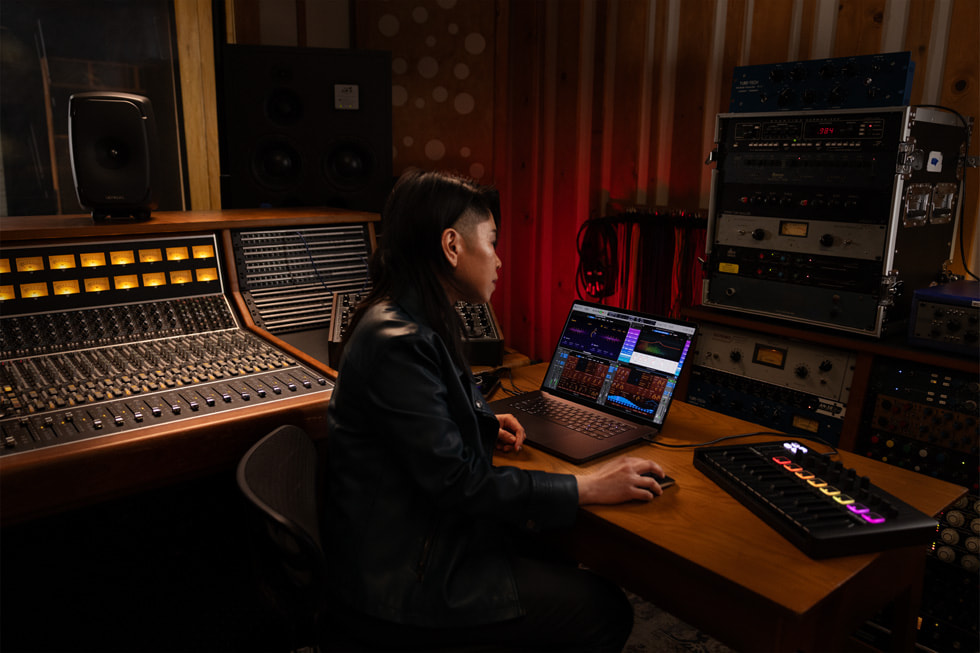
A recording-studio photograph from Apple’s May 2024 Logic Pro announcement.
Apple · Source ↗Contextual product photography; no interview, identity or endorsement is inferred.The working session
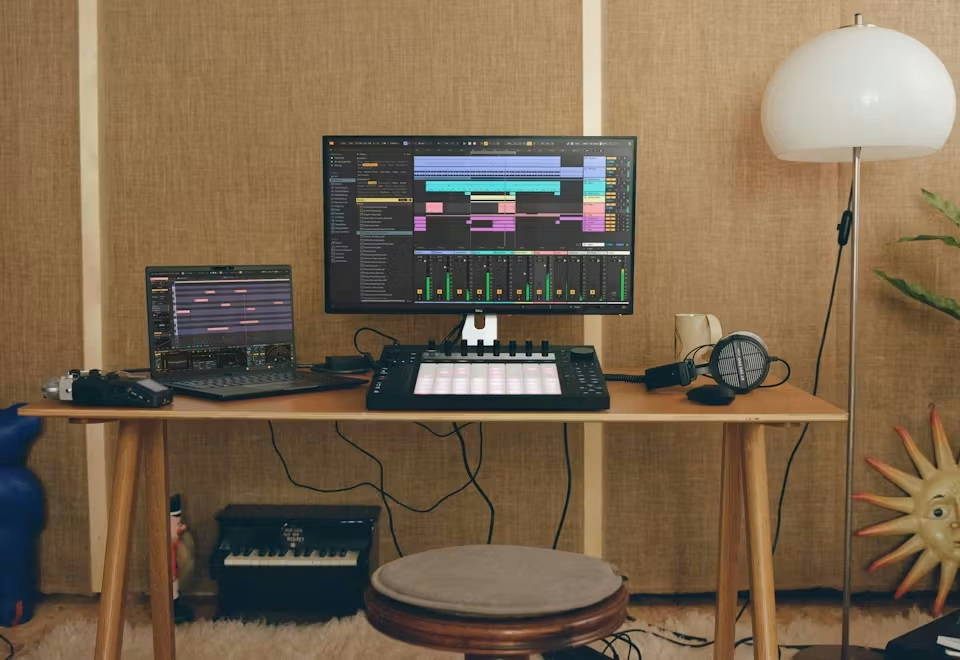
Ableton’s studio photograph puts the arrangement, instruments and listening position in the same frame.
Ableton · Source ↗Product context, not an in-house test or an identified artist’s session.The edit after the prompt
Adobe’s announcement artwork for Project Music GenAI Control. This is an illustration, not a screenshot of the prototype.
Adobe · Source ↗Original creator/method is not established by the retrieved page. No image was generated for this site.