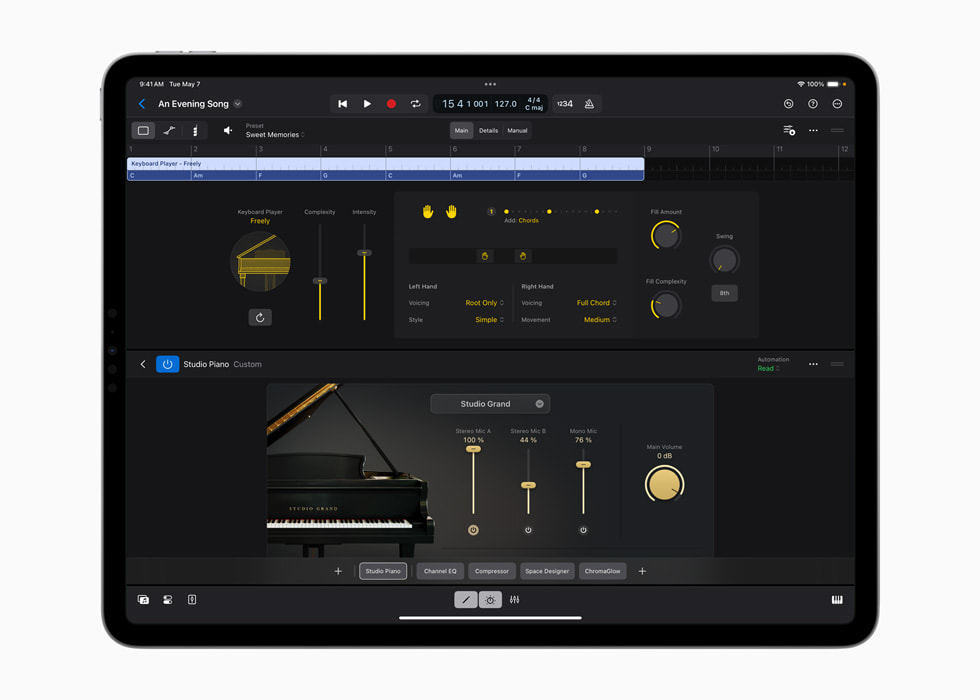
Apple’s Keyboard Player announcement image shows Studio Piano within a Logic project.
Apple · Source ↗Published with the May 2024 announcement; it does not document the current feature set.Audio-to-MIDI is most useful when it gives you handles: a bass contour to orchestrate, a chord sketch to verify, or a rhythmic outline to rebuild. It is less useful as a demand that a detector perfectly explain a recording. The conversion can misread slides, noisy attacks, doubled notes, vibrato, room reflections, and harmonics. Keep the original audio audible while you edit, so the phrase—not the piano roll—is the authority.
Choose one musical job
Before converting, state the job in a sentence: “I need the kick rhythm,” “I need approximate bass pitches,” or “I need chord-change locations.” Isolate the relevant stem when possible and make a duplicate. Do not ask one conversion to produce drums, harmony and lead melody from a dense mix, then mistake a cluttered result for a bad performance.
Clean the input gently
Trim dead air, set the correct tempo map, and select the smallest useful range. If a note has a long reverb tail, the MIDI end may be less informative than its onset. For a monophonic line, focus on attacks and contour; for chords, prioritize harmonic rhythm over every inner voice. Logic’s Flex Pitch documentation says it can extract MIDI from audio, but that is a feature description, not a promise that every detection is musically correct.
Repair in listening order
First delete obvious false notes. Next correct the start of the important notes, then their pitch class, then duration and velocity. Leave small timing offsets until you hear the replacement with the source. If a scoop into E is converted as D# then E, it may be clearer to retain one E note and use a short pre-note only if the new instrument needs it. Quantize selectively, not as a final cleaning ritual.
Worked example: generated bass phrase
A four-bar generated bass has a convincing pickup but two duplicated MIDI notes at bar 3. Keep the audio on a reference lane. Delete the duplicate, move the bar-3 onset slightly late to match the pickup’s lean, and shorten the next note so the kick owns the downbeat. Substitute a muted synth bass, then audition it at low level under the source. If the new line alters the phrase’s question-and-answer shape, copy the timing back from the audio rather than adding more notes.
Limitations
MIDI records note events, not tone, articulation, amp behavior, or the ambiguity of a performance. It can therefore preserve a phrase while losing its sound—or reproduce the wrong notes with impressive visual precision. Label it “derived MIDI,” retain the audio and conversion settings, and clear the source material before reuse. Follow the groove check before locking the timing, and use vocal-space listening when the converted part competes with a lead.
Sources & working limits
- Apple: Flex Time and Pitch overview
Flex Pitch can extract MIDI from audio. - Apple: Flex Time algorithms
Time algorithms are chosen by source material type. - Avid: Pro Tools Reference Guide 2025.12
Audio analysis identifies transient events as control points.
Sources checked 2026-09-19. Product instructions describe the documented version; controls and availability may change. Session examples are illustrative, not measurements or listening-test results.