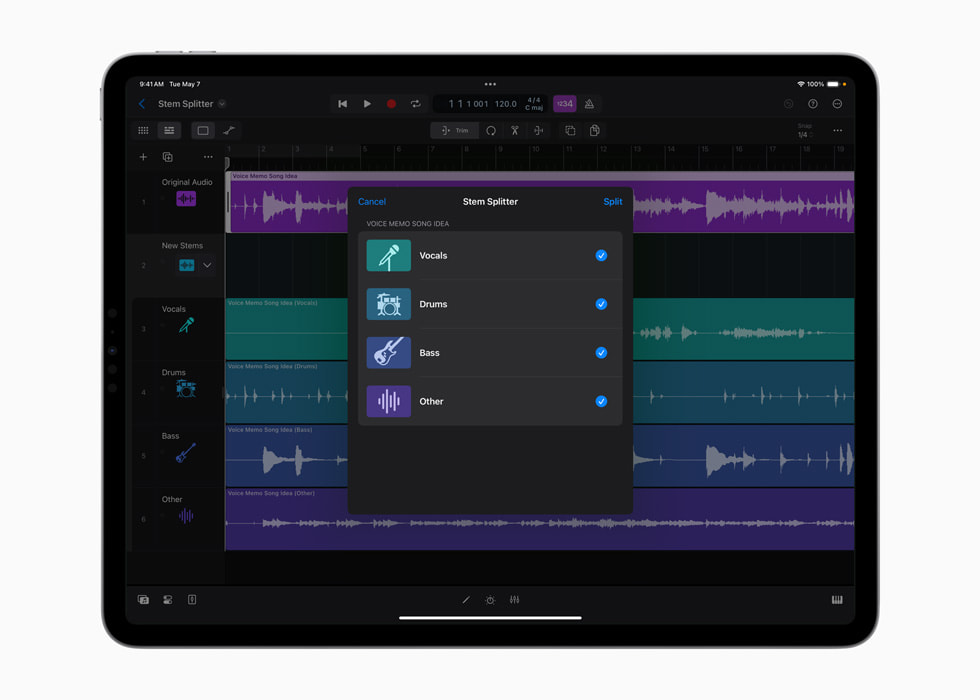
Apple’s May 2024 Stem Splitter interface shows the extraction choices beside the audio session.
Apple · Source ↗Historical interface; later versions can differ.Begin with subtraction
Separated parts make it easy to add processing, but their strongest arrangement use may be removal. Mute one family for half a phrase. Delay the bass entrance. Let the vocal’s room remain after the voice stops. Listen for a change in attention rather than novelty.
Mark structural functions
Rename regions by what they do: establish, lift, answer, suspend, release. The categories “drums” and “other” describe the separator, not the composition. A noisy remainder may carry the transition that makes a chorus arrive.
Recombine before replacing
Test the extracted parts against the original mix. A stem may sound brittle alone yet work as a low-level parallel layer. If you replace a part, compare the new relationship between groove, harmony and vocal—not only the replacement’s tone.
Write one rule for the arrangement
- Each return loses one element.
- The widest image appears only after the bridge.
- The vocal is never accompanied by the full rhythm section.
- Every machine-suggested part must survive a mute test.
A rule is useful because it creates related decisions. Break it once, deliberately, where the piece needs emphasis.
Respect the source
Use material you control. Separating a commercial recording does not grant permission to sample or release its parts. Keep the input and transformation log with the project so the musical experiment does not become detached from its rights context.
Sources & reading trail
- Ableton Stem Separation FAQ — primary documentation or research used for the bounded claims above.
- Moises ownership guidance — primary documentation or research used for the bounded claims above.
Reviewed for this local compilation on 15 September 2026. Product terms and platform policies can change; recheck them for a release. This article is editorial guidance, not legal advice or a claim of independent product testing.