Start with an intention
Set the musical brief, choose a bounded role for assistance, and stop exploring when you have material worth developing.
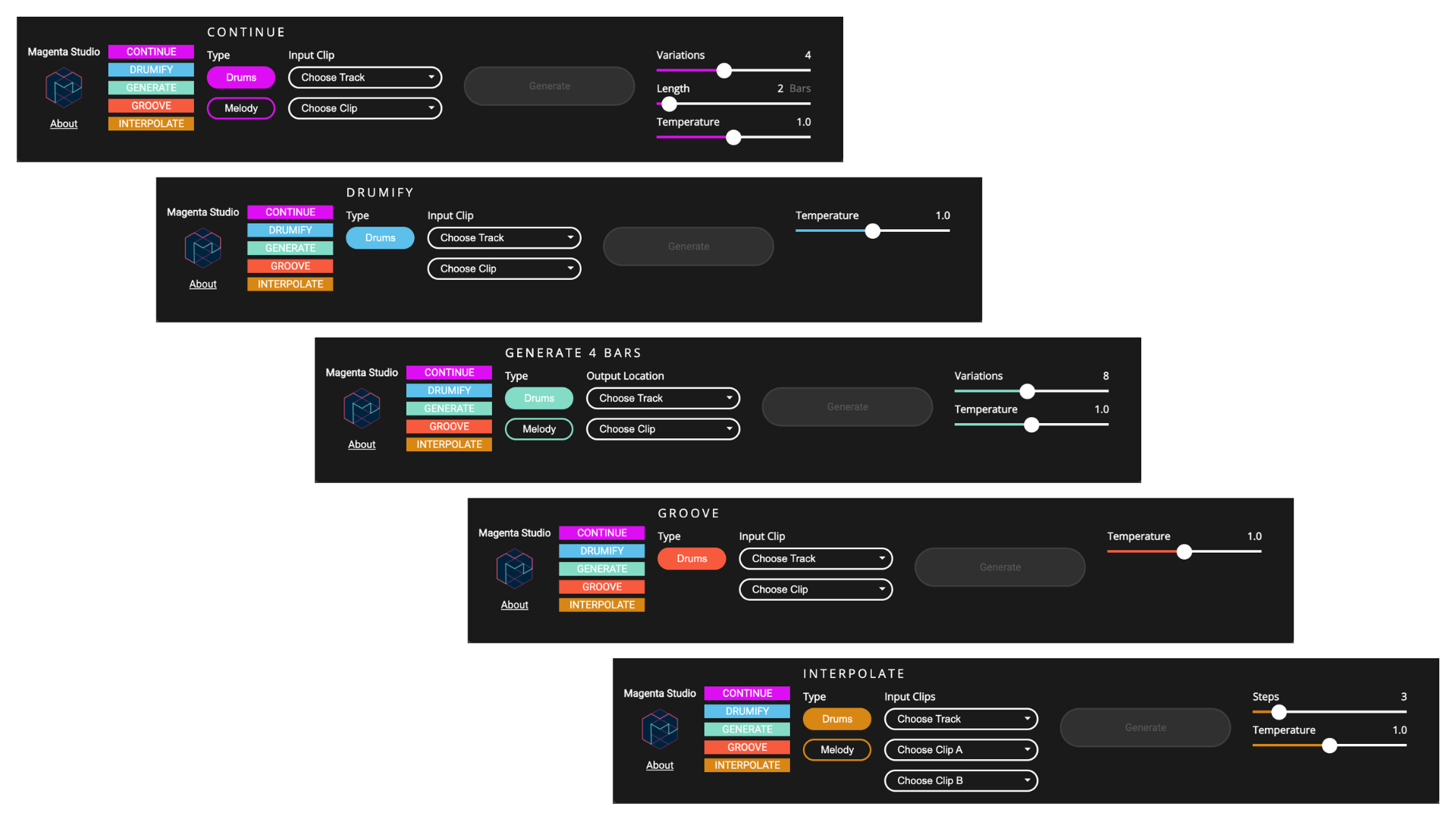
Magenta Studio’s own interface overview makes five different musical operations visible.
Magenta / Google · Source ↗The page’s current illustration was retrieved in September 2026; no historical screenshot date is claimed.The listening question
What am I asking the tool to do?
The sequence below is an editorial route, not a prerequisite list. Begin where your project needs attention.
Keep a session checklist ↗- 01
Foundations
Assisted or generated? Name the job before you name the tool.
A practical vocabulary for describing what the machine contributed—and what the musician still decided.
- 02
Workflow
Write the brief before the prompt.
A musical brief gives an experiment boundaries the ear can evaluate.
- 03
Workflow
The human-led production loop.
Brief, clear inputs, exploration, selection, arrangement, performance, mix, evidence and delivery.
- 04
Tools
How to audition a music generator without pretending it is a lab test.
A repeatable comparison for form, control, exports and failure modes.
- 05
Tools
Three production stacks, chosen by job rather than hype.
Lean, studio and rights-sensitive ways to combine a DAW, utility tools and documented delivery.
- 06
Economics
Budget the human work the generator does not remove.
Time, clearance, editing, delivery and maintenance remain real project costs.
- 07
Workflow
Decide when to stop generating before the search becomes the song
Use a bounded search, a selection rule, and a written stop decision so promising material reaches arrangement instead of endless comparison.