Listen before you fix
Separate artifacts from character. Make fair comparisons, repair the distracting details, and retain an unprocessed way back.
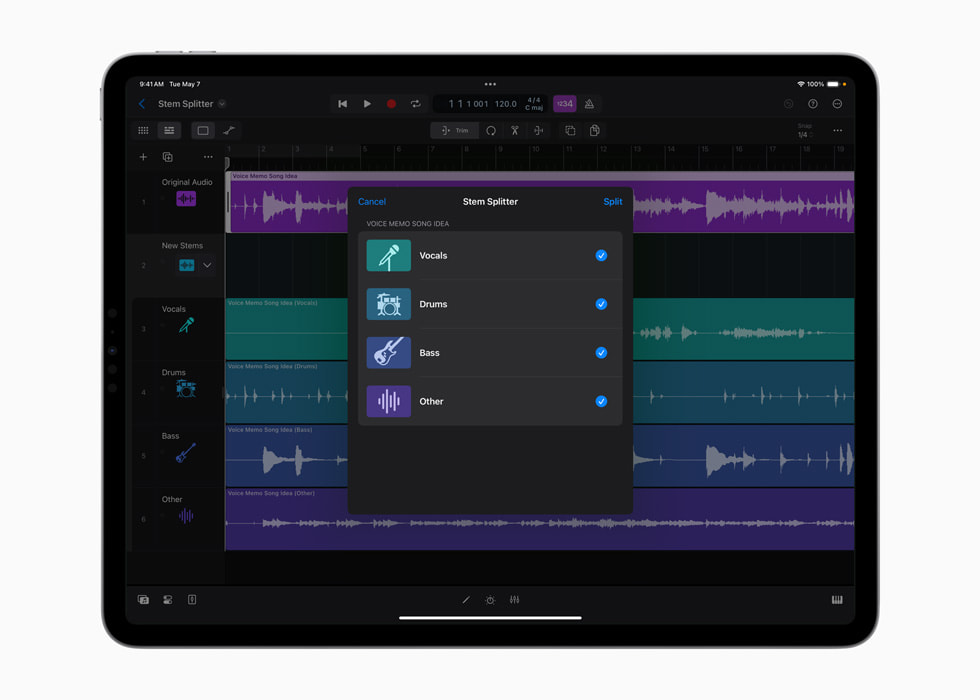
Apple’s May 2024 Stem Splitter interface shows the extraction choices beside the audio session.
Apple · Source ↗Historical interface; later versions can differ.The listening question
Which change actually serves the recording?
The sequence below is an editorial route, not a prerequisite list. Begin where your project needs attention.
Keep a session checklist ↗- 01
Stems
What a stem leaves behind.
Pull a voice out of a mix and the rest of the song becomes newly audible. But a separated part is also an interpretation of the recording.
- 02
Stems
Clean up a separated stem by listening to what leaked through.
A repair workflow for phase, ambience, transients and the artifacts that matter in context.
- 03
Workflow
Edit the seam, not just the clip
Make a generated passage meet the session through tone, timing, tail, and phase—not a hopeful cut.
- 04
Listening
Check stereo in mono before width becomes a surprise
A mono check is a fast way to locate disappearing parts and unstable tone—not a verdict against stereo.
- 05
Listening
Reference without falling for loudness
Match perceived level, choose a short target section, and let the comparison ask one question at a time.
- 06
Mixing
Compare an automated master without chasing loudness.
A level-aware listening method for deciding whether the master serves the arrangement.
- 07
Listening
Evaluate a shortlist with listeners without calling it a study
Run a small, transparent listening session to surface useful reactions, while keeping its uncertainty and bias visible.
- 08
Method
An evaluation rubric for tools that make sound.
Judge musical usefulness, control, evidence and failure modes separately.
- 09
Workflow
Print effects with options, not ambiguity
Deliver dry, wet, and dependency-aware exports so another session can rebuild the musical decision.